Print the cheque, then follow every cheque until it clears
CheqJo prints and manages cheques in Jordan. It writes the date, the amount in figures and in words, and the payee in the right place on your cheque, and keeps issued cheques, received cheques and due dates in one place.
14-day trial, no credit card. We set up your workspace once we receive your request.
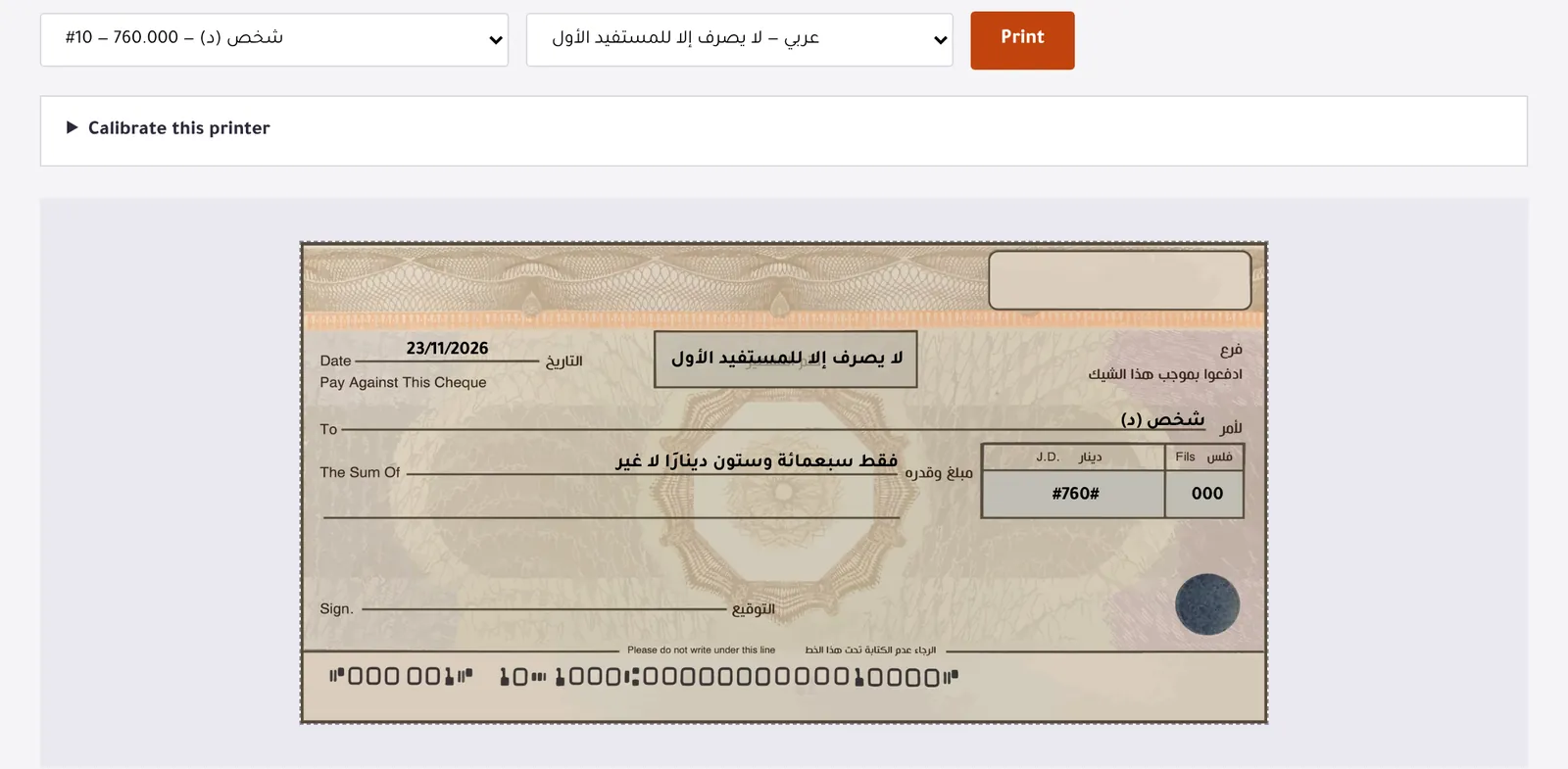
Only the values are printed on your cheque. The background here is for illustration.
It prints the values. The cheque stays yours.
Pick a cheque and press print. The date, amount in figures and words, payee and crossing come out on your cheque leaf. Calibrate the positions once for your printer and save them under its name.
- Amount in words, dinars and fils, in Arabic or English, filled in for you
- One-click crossing: «Not negotiable except to the first beneficiary», «A/C Payee» or both
- Print several cheques in one go, one per page
- Live preview before printing, plus a ready-to-print receipt
Every issued cheque, in its place
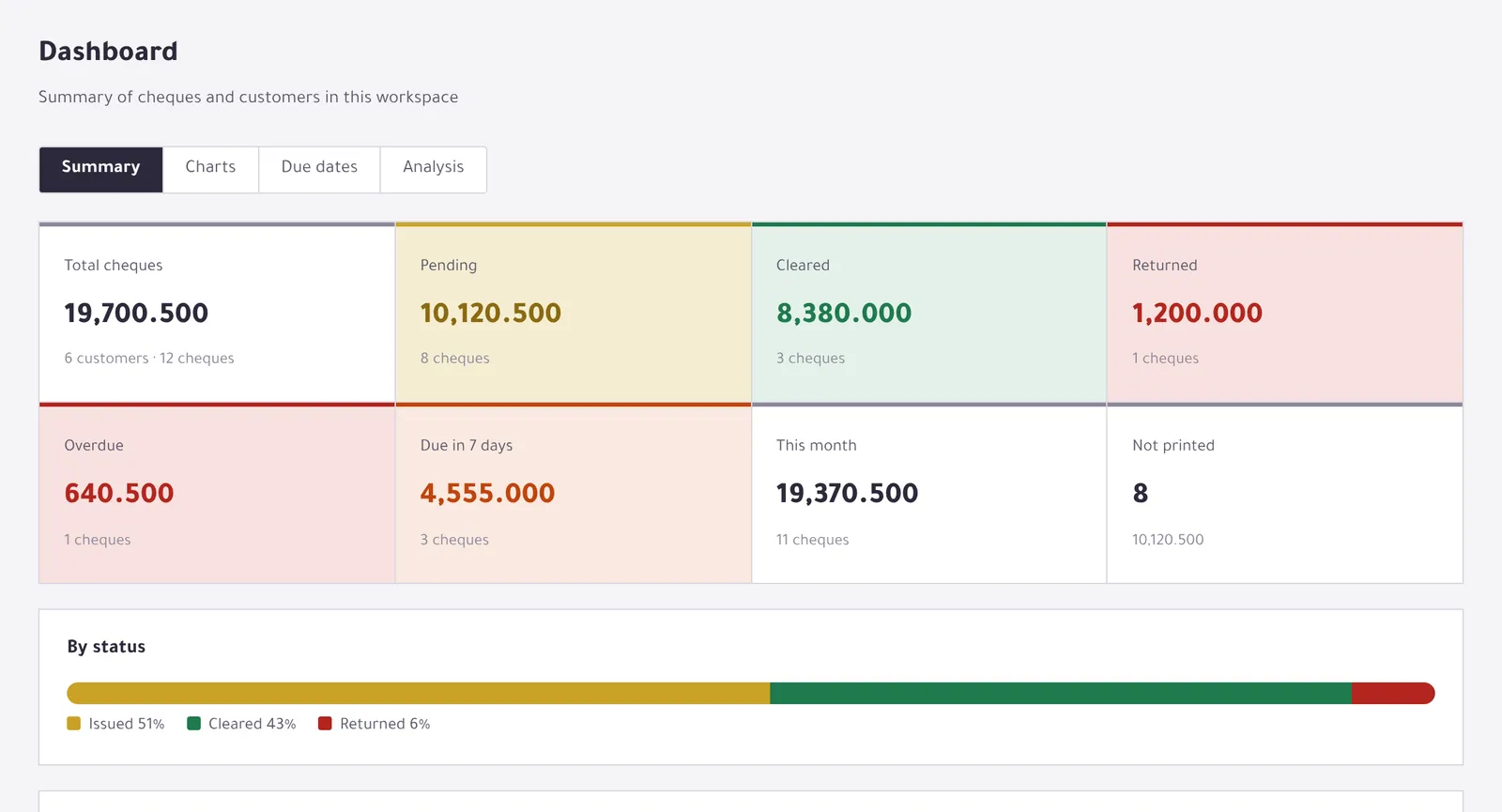
One dashboard shows what is overdue and what falls due within seven days. Enter postdated cheques in one go: set the total and the dates and the instalments are created. Each cheque carries its status: issued, cleared, bounced or cancelled.
- Clear status colours, with alerts for overdue and upcoming cheques
- Analysis by customer, bank, month and company
- Search by name, amount and date, and export to Excel
- Several issuing companies in one place, switch with a click
Received cheques, from your hand to the bank
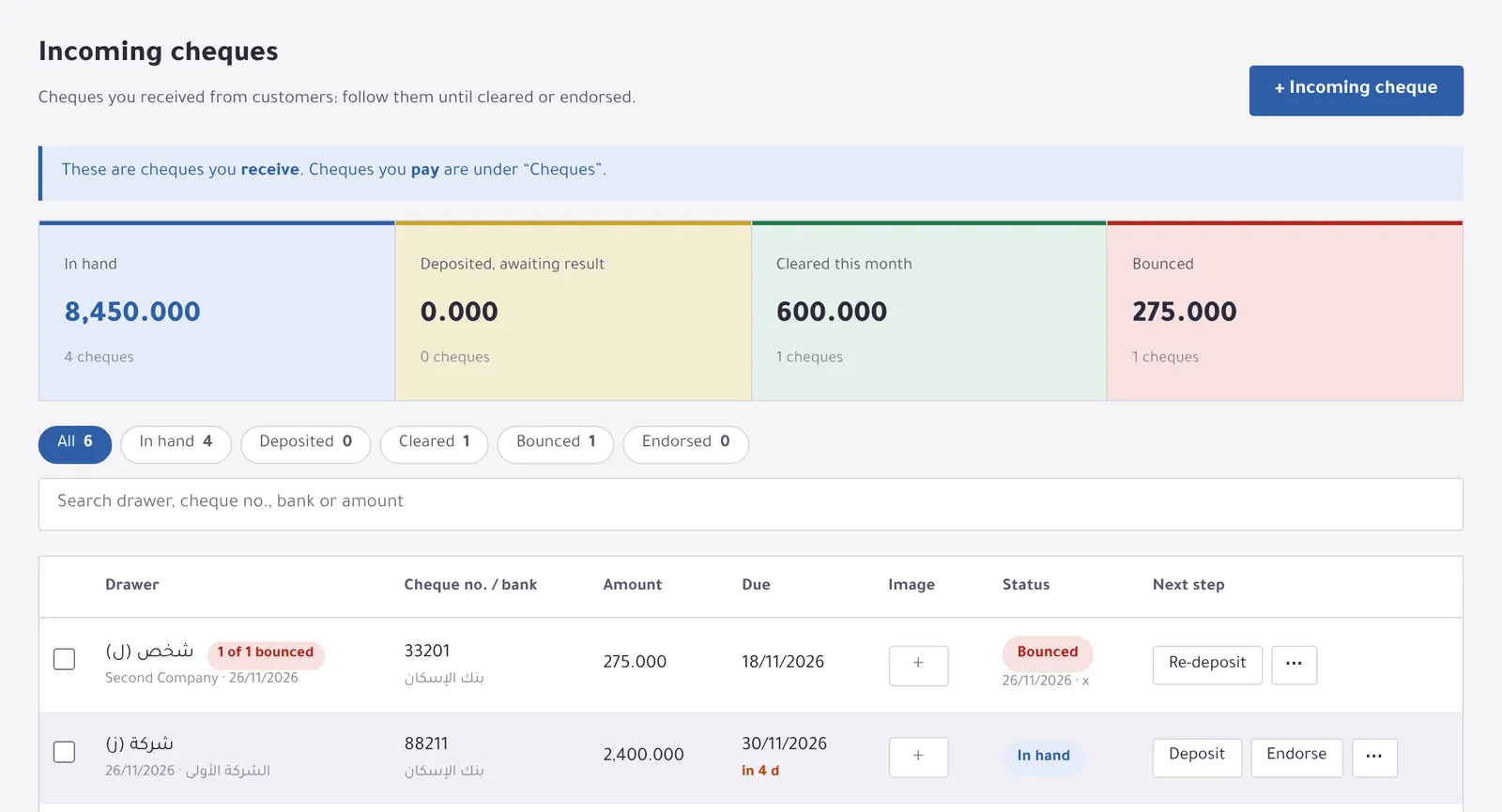
Record every cheque you receive from customers and photograph both sides. Follow it: in hand, deposited, cleared, bounced or endorsed to someone else. Print a deposit slip for the bank, and see what you will collect and pay over the next four weeks.
- A deposit slip for the bank, from several cheques in one click
- Endorse a cheque to another party and keep the name
- See which customer had a cheque bounce before you accept a new one
- Projected cash flow: incoming against outgoing, week by week
And everything else an office needs
Arabic and English
Switch the interface between Arabic and English; receipts follow the cheque language.
Several users
Add your team and decide who can delete and who sees others' cheques.
Works on a phone
A browser is enough. Tables turn into comfortable cards on a phone.
Backups
A daily automatic backup, plus one you download and restore yourself.
Activity log
Who issued a cheque and who changed its status, and when.
Cheque receipt
Print a receipt for cheques received or handed over, with your company name.
Deposit slip
Group received cheques into one slip ready for the bank.
Your data is yours
Export everything to Excel or a backup file at any time.
How to start
Send a trial request
Tell us your company name and number. We open your workspace and send your login.
Add your company and customers
Enter your issuing company, customers and bank accounts, and calibrate the printer with a test on plain paper.
Issue and follow
Enter a cheque and print it, then follow its status from issue to clearing.
Clear prices, free trial first
Every plan starts with a 14-day free trial. Prices are in Jordanian dinars. Subscribe for three months or a full year.
| Basic27 JD / 3 monthsor 90 JD for a full yearA small company or sole trader | Professional57 JD / 3 monthsor 190 JD for a full yearBest for small and medium businesses | Accounting offices117 JD / 3 monthsor 390 JD for a full yearOffices serving several companies | |
|---|---|---|---|
| Issuing companies | 1 | 3 | 10 |
| Users | 2 | 5 | 15 |
| Issued cheques per month | 200 | 1,000 | 5,000 |
| Received cheques with photos | — | Yes | Yes |
| Deposit slip and receipt | Yes | Yes | Yes |
| Support | Email and phone | Email and phone | |
| Start a free trial | Start a free trial | Start a free trial |
The annual plan costs ten months for twelve. Pay by CliQ or bank transfer. If a subscription ends, your workspace becomes read-and-export only and your data is not deleted.
Frequently asked questions
Does it work with every Jordanian bank's cheques?
The cheque layout is the same across Jordanian banks and the program is set up for it. Each printer has a small offset, so you print a test on plain paper, hold it over the cheque against the light, and adjust the positions once. They are saved under the printer's name.
Do I need a special printer?
No. Any printer that accepts cheque stock will do, preferably one with a manual front feed so the paper does not jam. Set the print dialog once: margins None, scale 100%.
What is the difference between issued and received cheques?
An issued cheque is one you pay to a supplier or other party. A received cheque is one a customer gives you. Each has its own tab and statuses: issued (issued, cleared, bounced, cancelled) and received (in hand, deposited, cleared, bounced, endorsed).
How do I enter postdated cheques in instalments?
Choose the customer, the total, and the instalment dates and amounts. The program creates one cheque per instalment, links them, and rejects the batch if the amounts do not add up to the total.
Is my data safe?
The connection is encrypted (HTTPS), passwords are stored hashed, sign-in locks after repeated failures, and a daily backup is kept. You can export all your data at any time.
Does it work on a phone?
Yes, from any browser. Tables appear as cards on a phone, and you can record a received cheque and photograph it with the phone camera.
How do I subscribe and pay?
Start with a trial request. When the trial ends, pay by CliQ or bank transfer and we activate your subscription as soon as the payment arrives.
Can I cancel?
Yes, at any time. Download all your data, and your workspace stays read-and-export only after the paid period ends.
Try CheqJo on your own cheques this week
Send us your company name and phone number and we open your trial workspace.